Enterprise WordPress: the infrastructure decisions that cost teams later
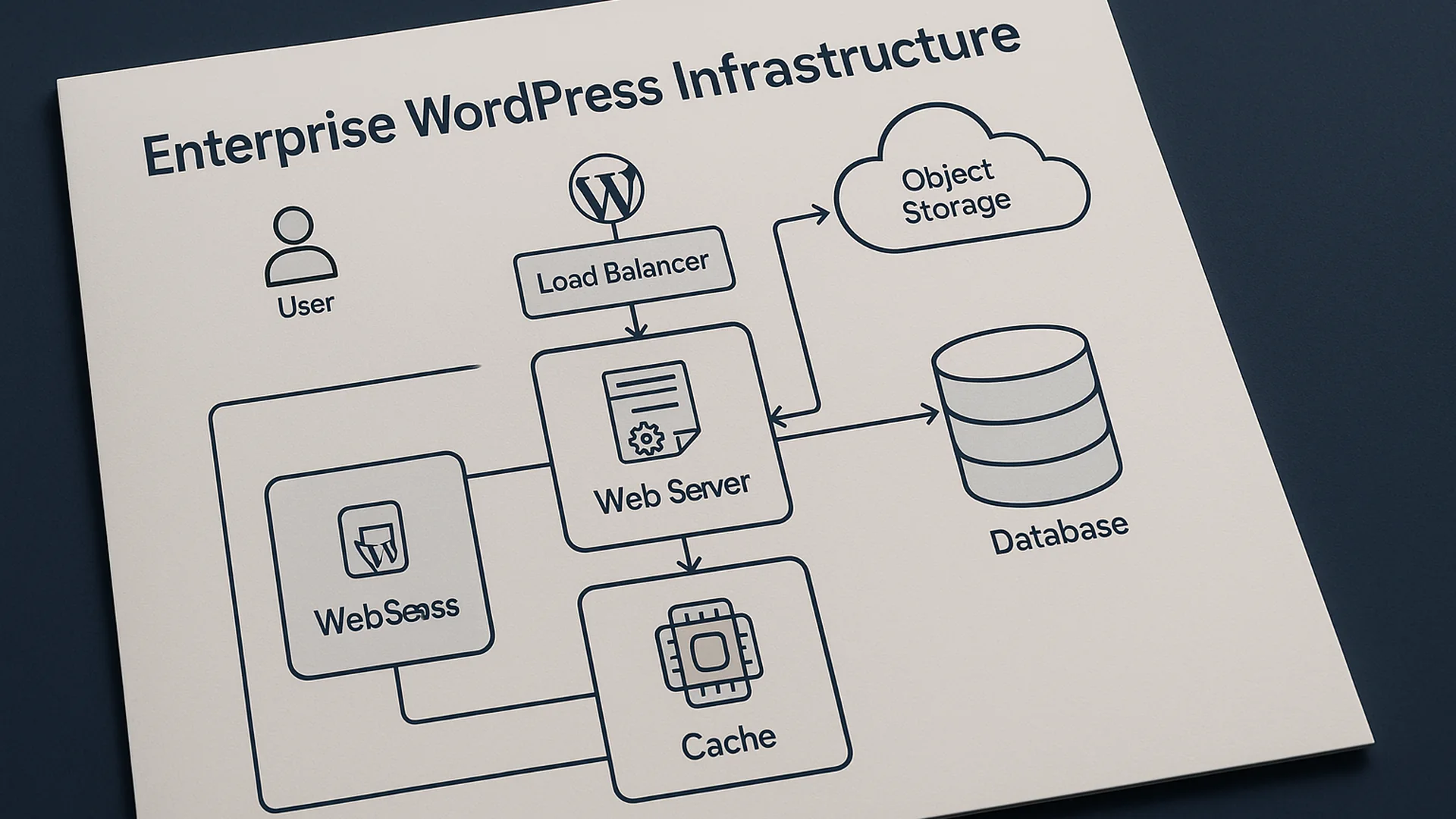
"Enterprise WordPress" is a phrase the hosting vendors use to justify upgrades and procurement teams use to feel safer about six-figure decisions. The infrastructure that actually matters for a service-business WordPress site fits on a single page. Here it is.
[callout type=“insight” title=“Key takeaways”]
- “Enterprise” is more often a hosting upsell label than an infrastructure category. The underlying stack is the same as every other WordPress® site.
- Four layers matter: edge (content delivery network, page cache, web application firewall), application (PHP runtime, WordPress, plugins, theme), data (MySQL, persistent object cache, file storage), and observability (logs, alerts, uptime, real-user monitoring).
- Most “infrastructure problems” diagnosed on enterprise sites turn out to be layer-2 application problems with a layer-3 hosting bill attached.
- Genuine enterprise needs are specific: high availability with documented failover, federated single sign-on, audit-grade change logs, regulated data residency. Most service businesses can name one of those at most.
- The infrastructure conversation is usually a procurement conversation. Hold the technical one first, and the procurement one usually arrives at a smaller number. [/callout]
Quick answer
Enterprise WordPress infrastructure is a stack of four layers: edge, application, data, and observability. Each layer needs tuning for the site's actual traffic shape and reliability requirements. The stack itself isn't different in kind from a small-business WordPress site. What differs is the scale, the redundancy, and the operational discipline around change management.
Most service businesses are buying enterprise hosting to solve problems that live in the application layer. Fix those first, and the infrastructure conversation almost always reaches a smaller invoice.
I’ve run this diagnostic enough times to know where it usually lands. In most cases the bottleneck is a single plugin loading its full asset stack unconditionally, and that’s an afternoon’s work to fix. The interesting part comes at the next renewal, when the hosting tier quietly drops because nobody needs the headroom they were paying for. So far I haven’t met the service business whose infrastructure tier was the limiting factor while its application tier was already clean.

The four layers that matter
| Layer | What lives there | Its job | Typical tools |
|---|---|---|---|
| Edge | Content delivery network (CDN), page cache, web application firewall (WAF) | Serve as much traffic as possible without the request ever reaching WordPress | Cloudflare®, Fastly®, KeyCDN, or a host's bundled edge cache (WP Engine®, Pantheon®, Kinsta®) |
| Application | PHP runtime, WordPress core, plugins, theme | Render clean HTML when the edge cache misses | Current PHP version, opcache enabled, plugin discipline, a theme that doesn't run database queries from the sidebar |
| Data | MySQL or MariaDB, persistent object cache, file storage | Make every database trip cheap and every file lookup fast | Redis® or Memcached for the object cache; local or S3-style file storage |
| Observability | Application logs, error tracking, uptime monitoring, real-user monitoring (RUM) | Know there's a problem before customers do, with enough context that the on-call person can diagnose it without paging anyone else first | Uptime checks, error logs, Query Monitor, RUM from real visitors (as distinct from a synthetic Lighthouse® run) |
The data layer is where most diagnoses of a slow WordPress site land, once the application-layer work has been done.
The four-layer model holds at every scale. What changes between a $30-per-month WordPress site and a $30,000-per-month one comes down to how many of these layers are tuned, monitored, and made redundant. All four exist on every site; the spend goes into how carefully each is run.
Why most infrastructure problems are application problems
The pattern is consistent: a service business buys enterprise hosting because the site is slow. Six months later the site is still slow, the hosting bill has gone up, and the team is now talking about going headless.
The real diagnosis, in nine cases out of ten:
- A plugin running on every page request that contributes 200 to 400 milliseconds of overhead nobody noticed.
- A theme querying recent posts in the sidebar, the footer, and a related-posts widget. Three database trips that should be a single cached read.
- An object-cache misconfiguration that means Redis is connected but empty, so WordPress hits the database for every option lookup. The host's status page can say "Redis enabled" while the application sees no cache at all.
- A page-builder embedded into post content that re-renders 200 kilobytes of inline CSS on every request.
None of those problems get better when the site moves to a faster server. They travel with the application code to the new host and surface within a week as the same slowness on a more expensive bill.
When the needs really are enterprise-grade
Four requirements that small-business hosting genuinely can't meet, and that are worth paying enterprise prices for when they apply:
- High availability and disaster recovery (HA/DR). Active-active or active-passive infrastructure with documented failover targets: a recovery time objective (RTO, how quickly the site is back up) and a recovery point objective (RPO, how much data you can afford to lose). Worth the spend when the cost of an hour offline is measured in millions of dollars or in regulatory penalty.
- Federated single sign-on. Single sign-on (SSO) for WordPress staff via SAML (the standard for handing identity from a corporate identity provider to the application) with SCIM (the standard for automated user provisioning from an HR system), backed by audit-grade access logs. Worth it in regulated industries and large internal-facing deployments.
- Audit-grade editorial logging. Every editorial change tracked with user, timestamp, and before/after diff, retained for the years your compliance team needs. Worth it for publishers, financial services, healthcare, and government deployments.
- Multi-region delivery with regulatory data residency. EU users hit EU servers; Canadian data covered by the Personal Information Protection and Electronic Documents Act (PIPEDA) stays in Canadian regions; healthcare data sits in the right geography for the right regulator. Worth it when contracts require it, and most contracts will say so explicitly.
When a procurement team can't connect a current business need to one of those four requirements, the spec usually describes enterprise WordPress while the actual need is well-tuned WordPress. Those are two different conversations with two different invoices on the other end, and most of the audits I run start by separating them.
The stack that works for a service business
For a Canadian service business in the 5,000 to 500,000 visitors-per-month range, the working stack looks like this:
- Edge. Cloudflare in front of the host (Free or Pro tier), full-page caching enabled, image optimization enabled, and a basic web application firewall ruleset tuned to the site's plugin set.
- Application. A managed WordPress host (WP Engine, Kinsta, or a well-tuned virtual private server) running PHP 8.2 or newer, opcache enabled, plugin count under twenty-five with a monthly review.
- Data. Persistent object cache (Redis), automated daily backups with off-site copies, the MySQL slow-query log enabled and read once a quarter.
- Observability. Uptime monitoring (UptimeRobot® or similar), error tracking (Query Monitor on staging, error log review on production), and Search Console plus Google Analytics 4 (GA4) for the real-user performance picture.
That stack handles most service-business workloads. Total cost is under $500 per month all-in. Operational discipline is a half-day every quarter to review logs, plugin versions, and uptime reports. Teams that do the half-day end up with a stack that holds up; teams that skip it end up surprised by something breaking at an inconvenient time.
The seam that gets missed when the parts list is the deliverable is who owns the runbook. A colleague at a recent WordCamp told me about inheriting a setup where the managed-host login had been shared on a sticky note and the Redis instance still held keys five years old. The four layers were technically all in place. The operating model behind them wasn't. A stack without a runbook is a kitchen where everyone knows the recipes but nobody wrote down which burner runs hot, so the first new cook learns it by scorching dinner.
Teams that write the runbook at the time the stack is set up, who gets paged at 2 a.m., where the credentials live, what the change-control process is, which alerts mean real problems versus background noise, end up with an operating model. Teams that write it after something has gone wrong reverse-engineer it under pressure. Writing it upfront is one of the smaller line items in any stack build, and it pays for itself the first time the on-call rotation changes hands.
Whichever side of that line a team lands on, four procurement mistakes come up often enough to name before the audit below.
- Buying tier based on visitor count instead of request shape. A 5,000-visitor-per-month site with a logged-in admin doing 2,000 daily updates can need more capacity than a 200,000-visitor site that serves mostly static pages. Tier selection follows request shape and concurrency; the marketing-friendly visitor-count number on the contract is the wrong axis to size against.
- Conflating service-level agreement (SLA) with reliability. A 99.99% SLA is the credit your contract pays out when downtime happens. It is not a technical guarantee that downtime won't. Backup and recovery discipline does more for actual uptime than the SLA tier does.
- Treating "enterprise WordPress" as a single line item. Hosting, security, observability, and developer support are four different services. Bundling them with one vendor is often the right call for the convenience of one invoice. Bundling them without understanding what each piece costs is where the bundle starts pricing out of proportion to what it does.
- Forgetting the migration cost. Moving a complex WordPress site between enterprise hosts is rarely a weekend job. Plan for two weeks of overlap and a brittle first month while edge caches warm and the team finds the URLs that didn't redirect properly.
A 30-minute audit before the procurement conversation
- Open Query Monitor (or your host's equivalent) on staging. Note the five slowest queries on your highest-traffic page. If the slowest is over 200 milliseconds, the bottleneck lives in the application or the data layer, not in the infrastructure you're being asked to buy.
- Pull the plugin list. Mark anything you can't justify in one sentence as a candidate for removal.
- Check whether the persistent object cache is connected and actually serving. Most managed hosts have a "Redis enabled" status page that says nothing about whether the cache is warm.
- Pull the last 30 days of error log. Note any repeating patterns. Those are the production bugs nobody filed a ticket on.
- Open Search Console's Core Web Vitals report. If the 75th-percentile Largest Contentful Paint (p75 LCP) is over 2.5 seconds on mobile, that's the metric driving the "site feels slow" perception, not raw server response time.
The audit usually surfaces three or four cheap wins that change the procurement conversation. The team may decide the upgrade is unnecessary; they may decide it is still needed but on different terms. Either outcome is honest, and either lands a better procurement decision than starting from the vendor's pitch.
I’ve run this infrastructure audit on half a dozen service-business WordPress sites in the past year, and in every case the diagnosis came back to the same layer. The team called it an “enterprise problem.” The audit kept finding it in the application. One site ran on dedicated bare metal and still took over four seconds to paint, because three plugins were loading their full asset stacks on every page. Another served pages in under 80 milliseconds on ordinary shared hosting, because the object cache was configured correctly and the theme made no global queries. The tier you pay more for is rarely the tier where the problem actually lives, and I haven’t yet found a case that argued otherwise.
When to bring in someone outside
Enterprise WordPress decisions are usually procurement decisions wearing a technical jacket. The audit above is genuinely doable in-house by any team comfortable opening Query Monitor and reading the slow-query log. Where outside help earns its keep:
- The audit turns up findings the internal team can't independently verify, and the procurement timeline is too tight to figure out how to verify them in-house.
- The team is mid-tender and needs an independent read on vendor proposals. Most enterprise WordPress proposals are technically credible and commercially mismatched to the actual need.
- A migration in flight is producing more downtime than the move was meant to fix, which almost always means application-layer issues weren't surfaced before the cutover.
The trap with enterprise WordPress conversations is that they are easier to schedule than application audits. A procurement meeting can land on the calendar tomorrow; a plugin audit takes a week of careful work. The application audit usually finds enough that the procurement conversation looks different on the other side, and sometimes finds enough that the procurement conversation isn't needed for another year.
The audit this piece keeps pointing at is the real next step. Before you sign anything labelled enterprise, it is worth knowing whether your problem is infrastructure or application, because most of the time it is application. Finding that out is what I do in a site audit, and when the answer is that you do need the bigger stack, building it is the enterprise WordPress development work I do across Canada. If a six-figure procurement conversation is coming, book a call first and we will see what you need.